
Download / Free Trial
Check installation requirements, release information and how to request evaluation access.
Get startedMailKeep MX brings business email, webmail, calendars, security and administration together in one self-hosted platform for Windows and Linux.
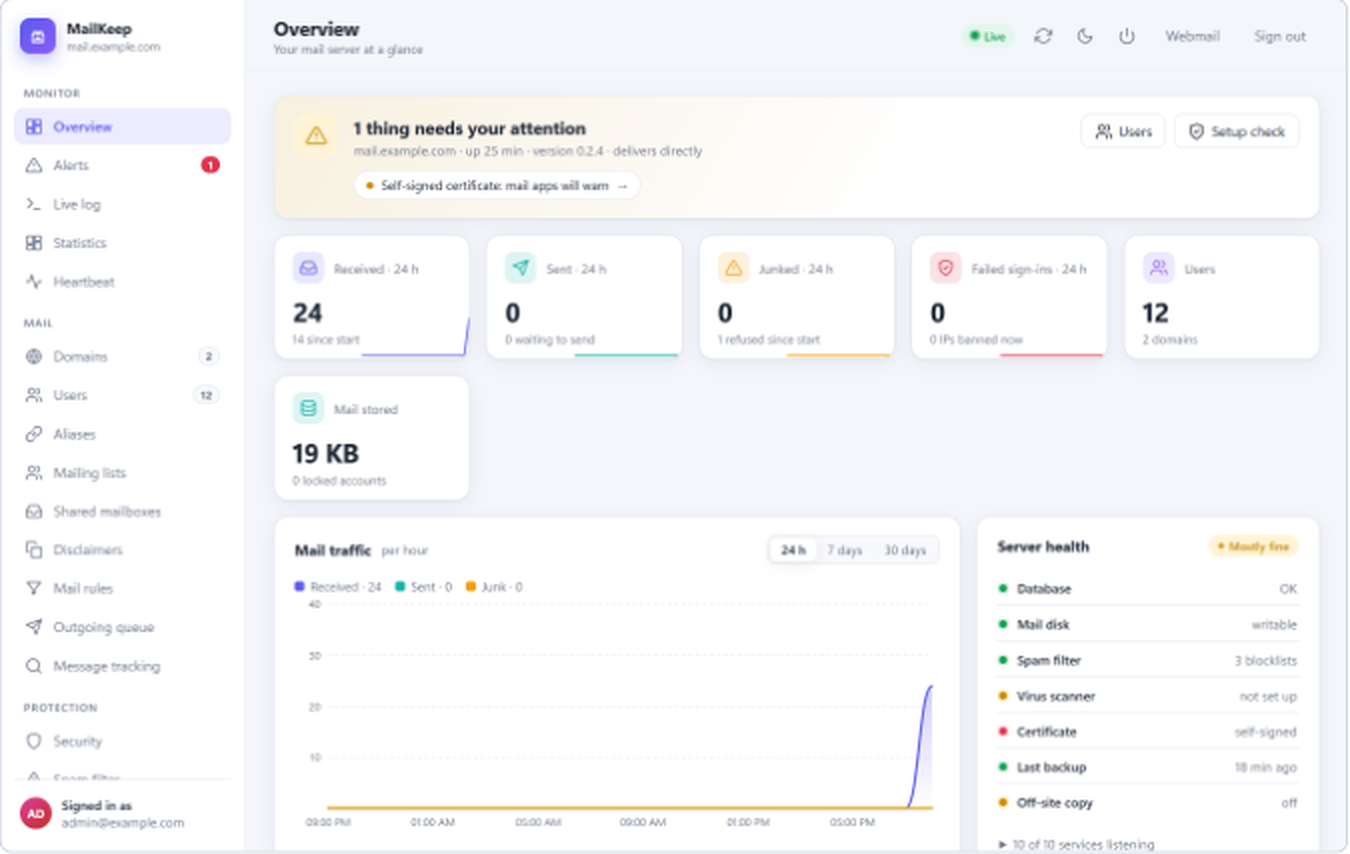
Explore the product, review evidence, plan a migration, and take the next step toward a successful installation.
Check installation requirements, release information and how to request evaluation access.
Get startedTour actual admin, webmail, domain and migration screens—no live system access required.
Explore demoFollow the MailEnable dry-run, import, compare and DNS cutover workflow.
Plan migration37 documented security checks with results, limitations and open items. Operator-assisted, not independently certified.
Read assessment140-page v0.2.33 manual and quick links to installation, DNS and mail clients.
Read guidesSee current evaluation availability, licensing transparency and support inquiries.
Licensing detailsWe prioritize a working deployment—not simply a download. Start with a safe evaluation, then validate mail flow, security, backup and recovery.
Begin evaluationGo beyond sending and receiving. MailKeep connects the everyday tools users need with the control administrators expect.
Host multiple domains, including internationalized names, with quotas, aliases, catch-all addresses, DKIM signing and domain branding.
mailConversations, previews, scheduled send, undo send, snooze, templates, push notifications and mobile-friendly layouts.
experienceMeeting invitations, free/busy information, rooms, shared calendars, and calendar synchronization through CalDAV.
experienceAdaptive per-user filtering, blocklists, attachment screening, optional ClamAV scanning and quarantine workflows.
securityService checks, alerts, daily summaries, external heartbeats, blocklist checks and setup diagnostics.
operationsMove directly from MailEnable or from other IMAP servers, compare results and repeat synchronization before cutover.
migrationGive your team an intuitive inbox with conversations, previews, snooze, scheduled send, shared mailboxes and instant updates. Add calendars and contacts that work across their devices.
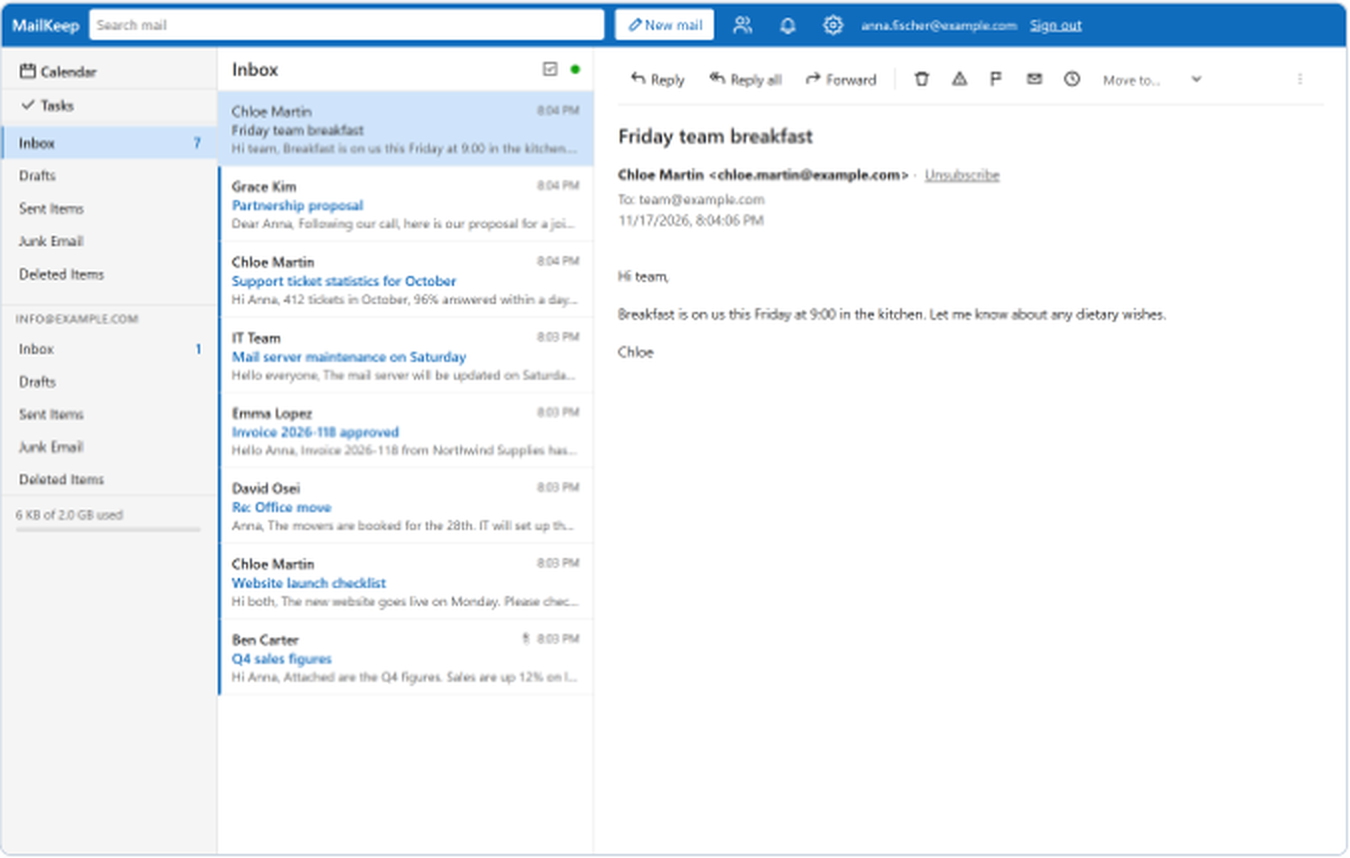
Actual product interface · User manual, chapter 20
Manage domains and users, investigate mail delivery, monitor health, protect accounts and automate the repetitive work.
Live logs, message tracking, statistics, alerting, daily summaries and setup checks give you visibility into the whole server.
Authentication checks, smart filtering, quarantine, sign-in protections and comprehensive auditing work together.
Deploy on Windows, Linux or Docker. Administer through the web console, command line or management API.
Explore the real product capabilities in the manual, or get in touch to discuss your deployment.
Read the November 2026 operator-assisted technical assessment of a MailKeep MX deployment: 37 documented checks with findings, evidence boundaries and next steps.
25 checks were directly verified; results include transport TLS, relay rejection, mail authentication, administrator-access protections and EICAR test-message rejection. This is not an independent certification.
Specific control behavior demonstrated
Configurations and operational evidence
Unresolved gaps reported transparently